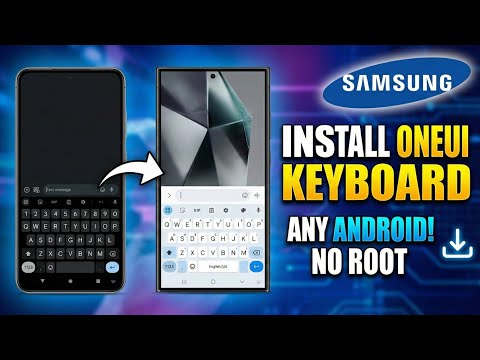
Transform Your Phone: How to Install the Samsung One UI 5.1 Launcher on Any Android (No Root!)
We all know the feeling. You are holding your Xiaomi, OPPO, or Pixel device, and you see a friend pull out their shiny new Samsung Galaxy S23. The interface looks polished, the widgets are stacked neatly, and everything just flows with a certain premium smoothness. Samsung's One UI has arguably become one of the most refined skins in the Android world, especially with the release of version 5.1 based on Android 13.
But what if you don't want to drop $1,000 on a new phone just to get that software experience?
In a recent guide on TechyNoob, we broke down exactly how to bring that flagship Samsung aesthetic to your current device. It doesn’t matter if you have a budget Redmi Note or an older OnePlus—as long as you are running Android 9 or above, you can install the One UI 5.1 Launcher today. Best of all? No root is required.
Here is the complete walkthrough on how to give your phone a fresh, premium makeover in under five minutes.
Why One UI 5.1?
Custom launchers are nothing new, but this particular port is special. It isn't just a "theme" that puts a Samsung wallpaper on your screen. It is a functional recreation of the One UI 5.1 home screen experience, optimized to run on devices from other manufacturers.
Key Features You Are Getting:
- Authentic Aesthetics: It brings the rounded corners, squircle icons, and airy layout that defines modern Samsung software.
- Smooth Performance: Unlike heavy launchers that drain battery, this port is lightweight and snappy.
- Widget Stacking: One of the coolest features. Long press a widget, add another, and drag it on top to create a stack you can swipe through. It saves massive amounts of screen real estate.
- Privacy: Includes a built-in "Hide Apps" feature to clean up your drawer or hide sensitive banking apps.
Installation Guide
Step 1: Download the APK
You need to grab the OneUI Launcher port APK. Check the description in the video or visit our Telegram channel for the safe download link.
Step 2: Install
Open your File Manager, tap the APK, and allow "Installation from Unknown Sources" if prompted. Once installed, click "Done" (do not open it yet).
Step 3: Set Default
Go to your phone's Settings > Apps > Default Apps > Home App. You should see "One UI Launcher" in the list. Select it. Press your home button, and voilà! You are now running the Samsung interface.
Pro Tips for the Best Experience
- Customize the Grid: Pinch the home screen and go to Settings. Change the grid size to 5x5 or 5x6 to fit more apps without it looking cramped.
- Enable Dark Mode: The launcher respects your system theme. Toggle your phone's Dark Mode to see the beautiful One UI dark aesthetic applied instantly.
Conclusion
Android is built on the idea of choice. You shouldn't be locked into the interface your manufacturer gave you if you don't like it. By installing the One UI 5.1 Launcher, you can enjoy the ergonomics and beauty of Samsung's design language without the Samsung price tag. It’s fast, it’s free, and it breathes new life into aging devices.